Math: Teach Monster Numbers
Teach Your MonsterEducational
4.547.00 Reviews
- Version
- 9.5.4843.3
- Installs
- 100.00K
- Age Rating
- Everyone
Screenshots
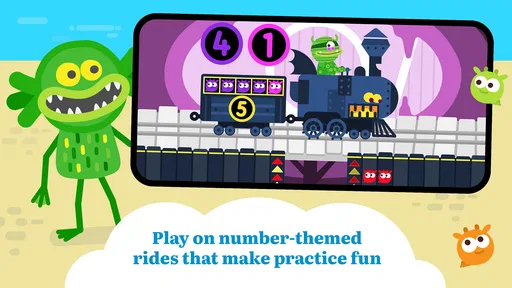
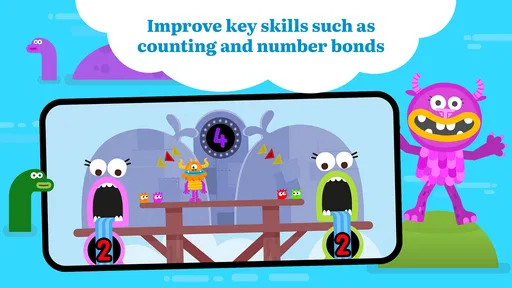
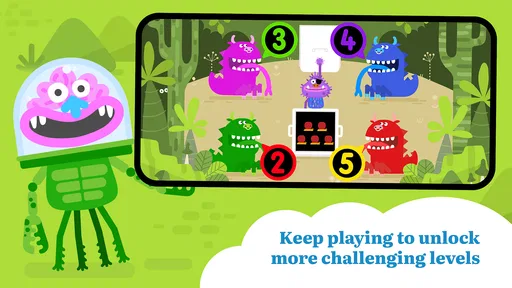
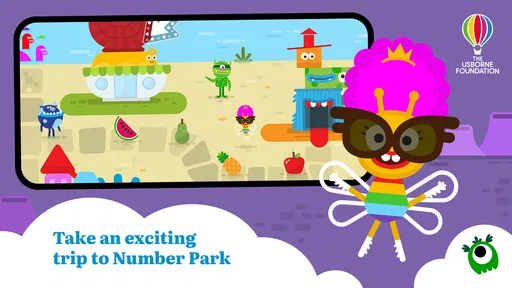
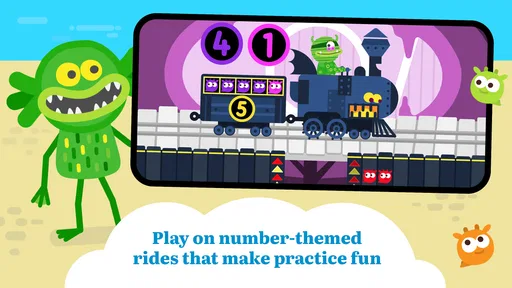
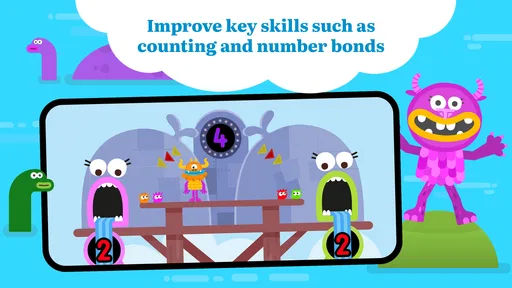
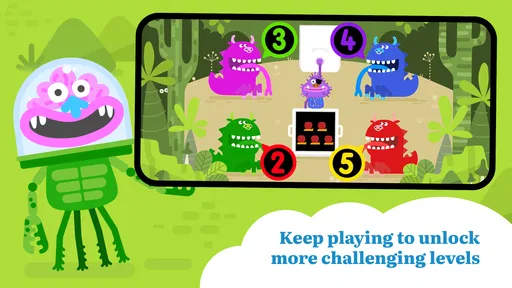
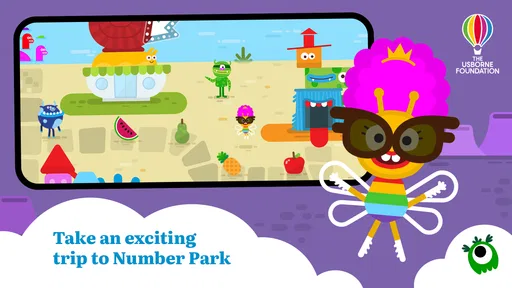
Our Review of Math: Teach Monster Numbers
 Analysis by Appyee
I look for children’s math games that can turn a short stretch of screen time into something more useful than tapping through distractions. Math: Teach Monster Numbers is aimed at young learners, and its monster-themed approach gives number practice a playful frame. My overall impression is that it may help a child who enjoys colorful characters feel more at ease with early math, though parents should think carefully about cost, age fit, and how much guidance their child needs.
What the price does—and doesn’t—tell you
The game is free to download, which makes it easy to try before deciding whether it belongs in your family’s routine. It also offers in-app purchases, with listed items ranging from $8.99 to $69.99. That spread is substantial, so I would not treat “free” as a promise that every part of the experience is included at no cost. Before a child starts playing, I’d check the purchase options together with an adult and make sure the device’s purchase settings suit your household.
Price alone can’t tell me whether a paid option is worthwhile for a particular family. A child who returns to the game often may get more practical value from it than one who loses interest after a few sessions. I’d first see whether the free access holds a child’s attention and supports the kind of practice they need; only then would I consider whether spending more makes sense.
How it fits into early math practice
This is an educational game from Teach Your Monster, made for children around the early-learning stage. Its focus is introductory math, and the game is aligned with US core standards for children aged four to six. That makes it more relevant as a playful companion to early number learning than as a broad, all-ages math course. The age guidance is Everyone, but that describes the content rating, not a guarantee that every child will find the activities equally easy or engaging.
In everyday use, I’d treat it as a short practice option rather than a substitute for talking about numbers away from the screen. For example, after a child plays, a parent can connect the idea of counting to setting out snack pieces or sorting toys. That small follow-up gives the child a chance to use number skills in a real situation instead of letting screen activity stand alone. It also gives an adult a natural way to notice what feels comfortable and what needs more time.
Compared with a worksheet, a game can feel less like a test and more inviting to a child who resists sitting down for formal practice. Compared with a general video or entertainment app, this title has a clearer learning purpose. But it won’t suit every learner: a child who prefers hands-on objects, direct conversation, or a quieter activity may get more from counting physical items with an adult. I would use the game as one option in a mix, not as the only way a young child encounters math.
Practical ways to decide whether it works for your child
For a first try, I’d sit nearby and watch how the child responds rather than assuming that bright visuals automatically mean a good fit. Notice whether they understand what the game is asking, whether they can keep going without frustration, and whether they seem willing to return another day. If they need frequent help, that is useful information: the activity may work best as shared play, or a simpler, more hands-on approach may be a better starting point.
One useful routine is to keep play sessions tied to a clear moment in the day, such as a brief activity before dinner, instead of handing over the device whenever there is spare time. A predictable stopping point can make it easier for a child to switch back to other activities. I’d also ask the child to explain or demonstrate a number idea after playing. If they can connect it to a real object, the game may be supporting understanding; if they only remember the reward, I’d add more conversation and practical counting.
Parents often want to know whether the game is suitable for independent use. I’d say it can encourage a child to explore, but younger learners may still benefit from an adult close by, especially at the beginning. A parent can help interpret an instruction, notice frustration early, and keep purchases under adult control. Whether a child can play independently will depend on their comfort with the device and the activity, so I’d make that decision after observing a session rather than relying on age alone.
What the experience offers, and where it has limits
The game has an average rating of 4.5 from around 1.1 thousand ratings, and it has more than 100 thousand installs. Those figures suggest that many families have tried it, but they don’t tell me whether it will match an individual child’s learning style. I’d use them as context, then judge the app by how my own child reacts to its activities and whether it fits our routine.
Its version is 9.5.4843.3, and it requires Android 6.0 or later. The game is free to download, with paid in-app items, so the practical question is not simply whether it costs anything to begin; it’s whether the available experience is enough for your needs. I’d avoid promising a child access to a particular paid feature until I had checked the purchase choices directly and decided whether the expense was appropriate.
Where the trade-offs matter
The biggest limitation for me is that a playful presentation can’t replace an adult’s judgement about pace and understanding. Some children are motivated by characters and game rewards; others may focus on earning the next reward without pausing to think through the math. If that happens, I’d slow the session down and invite the child to explain their answer, rather than treating completion as proof that a concept has stuck.
There is also a difference between curriculum alignment and a tailored lesson plan. Being aligned with US core standards is useful context for families who want early math practice with a recognizable educational direction, but it does not mean the game will match every school’s sequence or a particular child’s current needs. If a teacher or caregiver is working on a specific skill, I’d check whether the game’s current activities actually support that goal instead of assuming the alignment covers every topic the child needs.
The purchase range deserves a deliberate look, too. A family that only wants an occasional activity may be satisfied with trying the free download, while a family considering paid items should weigh the cost against how consistently the child uses the game. I can’t infer the value of each item from its price alone. My practical advice is to avoid buying in a hurry: first see whether the child enjoys the learning style and whether it complements, rather than crowds out, other ways of practising numbers.
Who is most likely to get value
I can see this being a good fit for a child aged four to six who is beginning to explore numbers and responds well to playful digital activities. It may also help a parent who wants an easy way to add a little structured math practice to a busy day, provided the adult is comfortable supervising the first sessions and checking the purchase options. Since the game is in the educational category and is designed around early math, it has a clearer purpose than handing a young learner an open-ended entertainment app.
I’d be less likely to choose it for a child who strongly dislikes device-based learning, needs direct one-to-one teaching for every new idea, or is already looking for more advanced math work. It may also be the wrong choice if you want a completely purchase-free experience without checking what is included at no cost. In those cases, physical counting games, school materials, or a different learning tool that better matches the child’s needs may be a more sensible first choice.
My verdict before you download
My view is that Math: Teach Monster Numbers is worth trying if your child is in the early stages of learning math and enjoys a playful setting. The free download lowers the barrier to seeing whether its style works, while the in-app purchase range means I’d make spending decisions carefully rather than assuming the whole experience is free. Teach Your Monster has made a focused option for young children, but its usefulness depends on the fit between the game, the child, and the way a family wants to handle screen time.
I’d start with a brief, shared session, watch for signs of genuine understanding, and connect what the child encounters on-screen to simple counting away from the device. If they look forward to returning and can carry an idea into everyday play, it may earn a place in your routine. If they become frustrated, fixate only on rewards, or need a different kind of support, I’d move on without feeling that a popular educational game has to work for every child.
The game was released on January 26, 2022, and its content rating is Everyone. Those details are helpful when checking device compatibility and deciding whether it is appropriate for your household, but they don’t replace watching how a particular child responds. For me, the best reason to try it is the chance to make early number practice feel inviting; the best reason to pause is if the cost, learning style, or screen-based format doesn’t suit your family.
Getting Started with Math: Teach Monster Numbers
First things first, let’s talk about getting set up. The app is available for both Android and iOS, and downloading it was a breeze. Once installed, you’re greeted with this colorful, friendly interface that immediately grabs your attention. Kids will love the vibrant colors and fun characters. The app is designed to make math feel less like a chore and more like an adventure.
Upon launching, you’ll see a menu filled with different activities and games. The app cleverly combines learning with play, which is perfect for keeping kids engaged. The main focus is on building fundamental math skills, from counting to basic arithmetic, all wrapped up in a monster-themed package.
Exploring the Features
Now, let’s dive into what makes this game stand out. The app is packed with features designed to cater to various learning levels. Whether your little one is just starting to count or is moving on to more complex addition and subtraction, there’s something for everyone.
One of the coolest features is the interactive games that adapt to your child's skill level. As your child progresses, the challenges get a bit tougher, but not overwhelming. This adaptive learning approach ensures that they’re always in the zone of proximal development, which is fancy talk for keeping them challenged but not frustrated.
The app also includes a reward system, where kids earn stars and badges as they complete levels. This gamified approach not only makes learning more enjoyable but also encourages children to keep pushing forward to achieve their next goal.
Why Kids and Parents Love It
Let’s be real – keeping a child’s attention is no small feat, especially when it comes to educational content. But the game seems to have cracked the code. The engaging graphics and fun sound effects are just right for young learners. The characters are adorable, and the little monster guides are always ready to help out, making the experience feel like a team effort.
As a parent, I appreciate the educational value it brings. The app encourages independent learning, which is fantastic for building confidence in young learners. Plus, it’s a great way to sneak in some screen time that’s actually beneficial.
Another highlight is the app’s ability to track progress. It’s easy to see how your child is doing and where they might need a little extra help. This feature is great for parents who want to be involved in their child’s learning journey without hovering too much.
Final Thoughts
In conclusion, this educational game is a delightful mix of education and entertainment. It’s designed with both kids and parents in mind, making it a perfect addition to any educational toolkit. If you’re looking to give your child a fun and effective way to improve their math skills, this app is definitely worth checking out. It’s available for download on both Android and iOS, so you can easily get started right away.
So go ahead, let your little ones unleash their inner math monster. Who knows? They might just end up loving math!
Verdict
Strengths of Math: Teach Monster Numbers
- Engaging graphics captivate young learners.
- Adaptive difficulty adjusts to child's level.
- Encourages critical thinking skills.
- Includes fun mini-games for variety.
- Parents can track progress easily.
Limitations of Math: Teach Monster Numbers
- Limited content for older kids.
- Requires internet for full features.
- In-app purchases can be distracting.
- Some mini-games repeat frequently.
- Initial setup may confuse some users.
Other Releases by Teach Your Monster
View All
Teach Your Monster to Read
Educational3.8
Similar Picks in This Category
View All
Little Panda Policeman
BabyBus4.0

Monster Trucks Game for Kids 2
Raz Games4.1

Little Panda's Chinese Recipes
BabyBus4.4

Little Panda's Restaurant
BabyBus4.4

Little Panda's Ice Cream Games
BabyBus4.3

Baby Panda Care
BabyBus3.8
Frequently Asked Questions
What age group is Math: Teach Monster Numbers suitable for?
Math: Teach Monster Numbers is designed primarily for children aged 3 to 6 years old. The app focuses on teaching basic math concepts in an engaging and interactive way, making it ideal for preschoolers and kindergarteners who are just starting to explore numbers and counting.
Is Math: Teach Monster Numbers safe for children to use?
Yes, Math: Teach Monster Numbers is safe for children. The app is free of in-app purchases and ads, ensuring a distraction-free learning experience. Additionally, it adheres to strict privacy guidelines, ensuring that no personal data is collected or shared with third parties.
Does Math: Teach Monster Numbers require an internet connection?
No, Math: Teach Monster Numbers does not require an internet connection once downloaded. This makes it a convenient option for on-the-go learning, allowing children to practice their math skills anytime and anywhere without needing Wi-Fi or data.
What types of math skills does the app cover?
Math: Teach Monster Numbers covers fundamental math skills, including counting, number recognition, basic addition, and subtraction. The app uses playful animations and interactive games to reinforce these concepts, helping children develop a solid foundation in math through fun and engaging activities.
Is there a way for parents to track their child’s progress in the app?
Yes, Math: Teach Monster Numbers includes a feature for parents to monitor their child's progress. Through the parent dashboard, you can view detailed reports on the skills your child has mastered, the time spent on the app, and areas that may need more focus, enabling you to support their learning journey effectively.
Play our best games!


